Orders: Explaining Fulfillment
Learn about the fulfillment feature to manage order dispatch, track expected arrival dates, and use carrier rates.
You can start a fulfillment from the fulfillment list without opening an order. This prepares a shipment independently of a sale recorded in the store. Before using it for a return or transfer, check that your carrier service supports that operation.
Review your configured fulfillment services and prepare the recipient details, destination address and packaged weight and dimensions. Availability, coverage and rates depend on the services configured for your store.
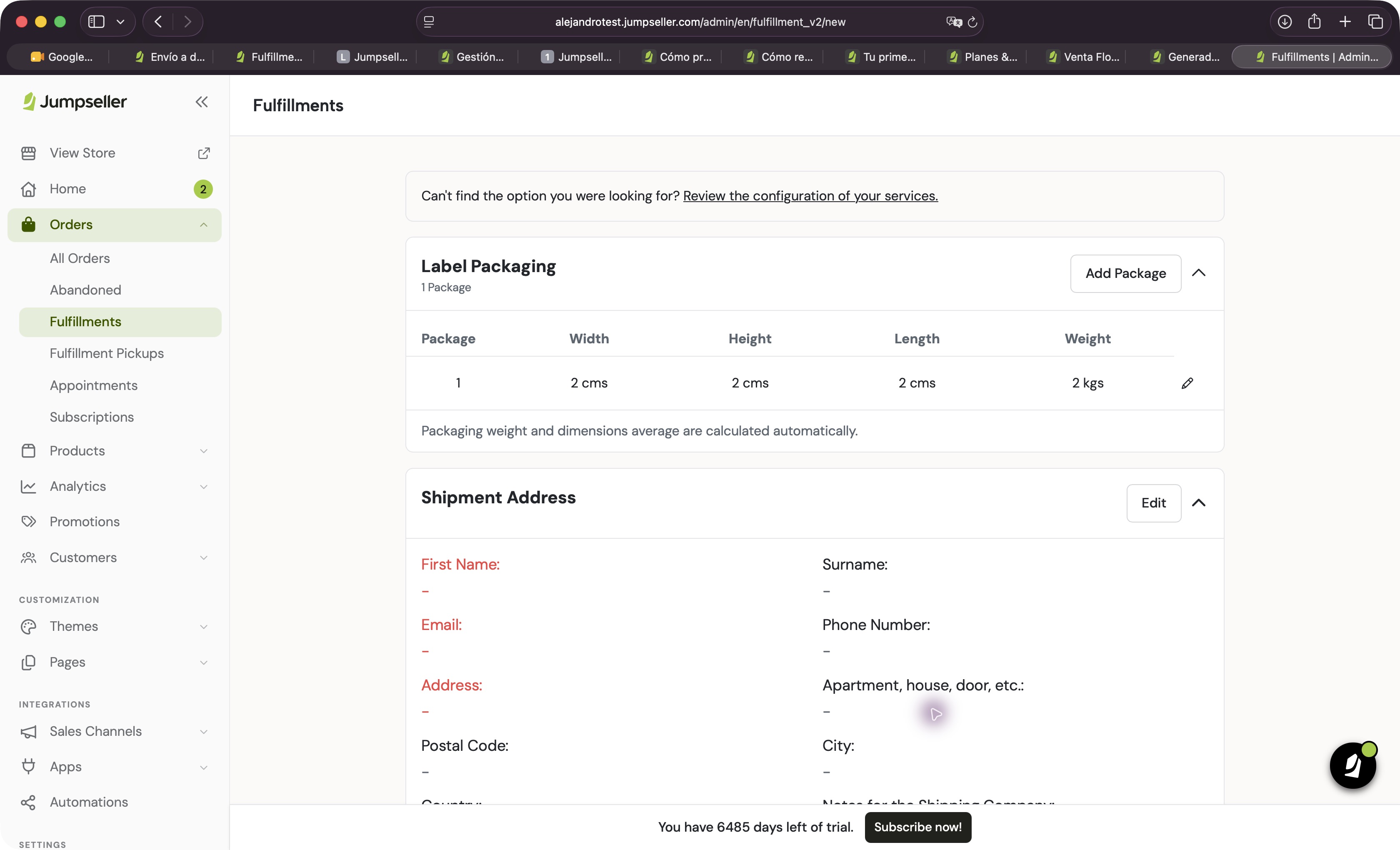
In your admin panel, open Orders > Fulfillments and select Create. The form displays Label Packaging and Shipment Address; you can start here without selecting an order.
Review width, height, length and weight in Label Packaging. Use the measurements of the parcel you will hand to the carrier. If the shipment includes more packages, review Add Package and the service conditions before proceeding.
Check the displayed values against the actual parcel before requesting a rate.
Select Edit under Shipment Address. Review first name, surname, email, phone, address, additional address information, postal code, city, country and carrier notes.
For a return, verify who is sending and receiving the parcel. Creating a shipment does not replace handling the order return or refund.
Select Estimate Fulfillment to consult the services available for the shipment details. Review destination, parcels, service and cost before confirming a shipment purchase.
If the expected service is missing, use Review the configuration of your services to check its settings. Do not change measurements or destination to obtain a rate that does not match the parcel.
Subsequent operations depend on the carrier service. See the fulfillment guide for tracking and available operations after dispatch.
Return to Orders > Fulfillments and locate it. Check its tracking number and status when available. Keep a reference in your internal return or transfer record so that the purpose of the shipment remains clear.
Do not assume an independent shipment adjusts stock, creates a sale, issues an invoice or refunds a payment. Manage those operations separately as required.
Confirm carrier conditions for returns and transfers, available origin locations and incident handling. Contact support if you need help with your store configuration.
The form was inspected without requesting rates, purchasing shipping or changing stock. Returns, transfers and actual shipment issuance remain subject to service-specific validation.
Start your free 7-day trial. No credit card required.